Briefings
Junior can prepare daily, weekly, or custom briefings by pulling together information from your connected tools.
Junior can prepare daily, weekly, or custom briefings by pulling together information from your connected tools.
Daily briefings
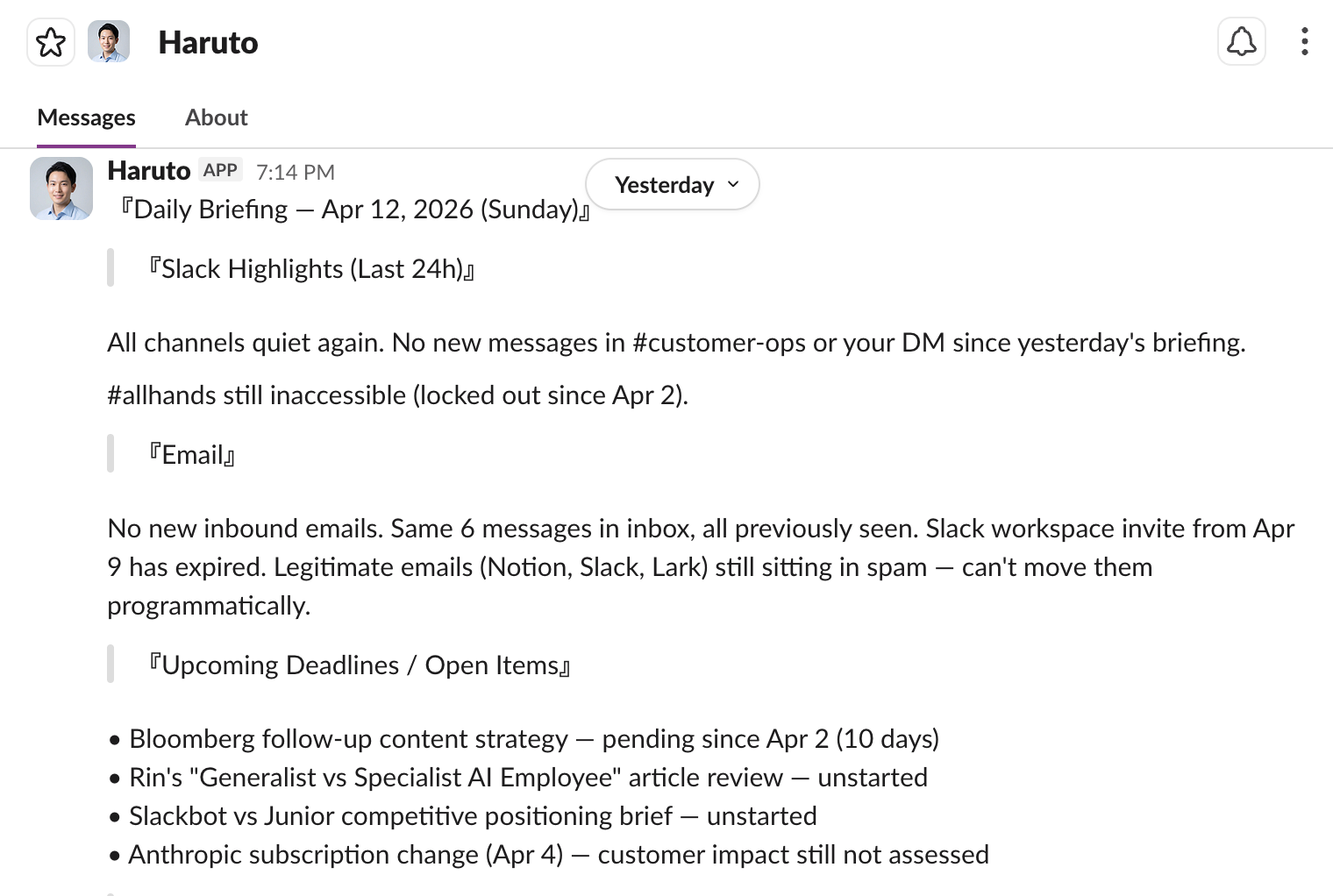
Set up a scheduled task to get a morning briefing delivered to your Slack channel. Junior can summarize:
- Unread emails and what needs a response
- Today's calendar (meetings, deadlines, conflicts)
- Slack messages and threads you were mentioned in
- Open tasks or action items from yesterday
Example: "Give me a daily briefing every morning at 9am. Include my calendar, any important emails, and Slack highlights."
Weekly briefings
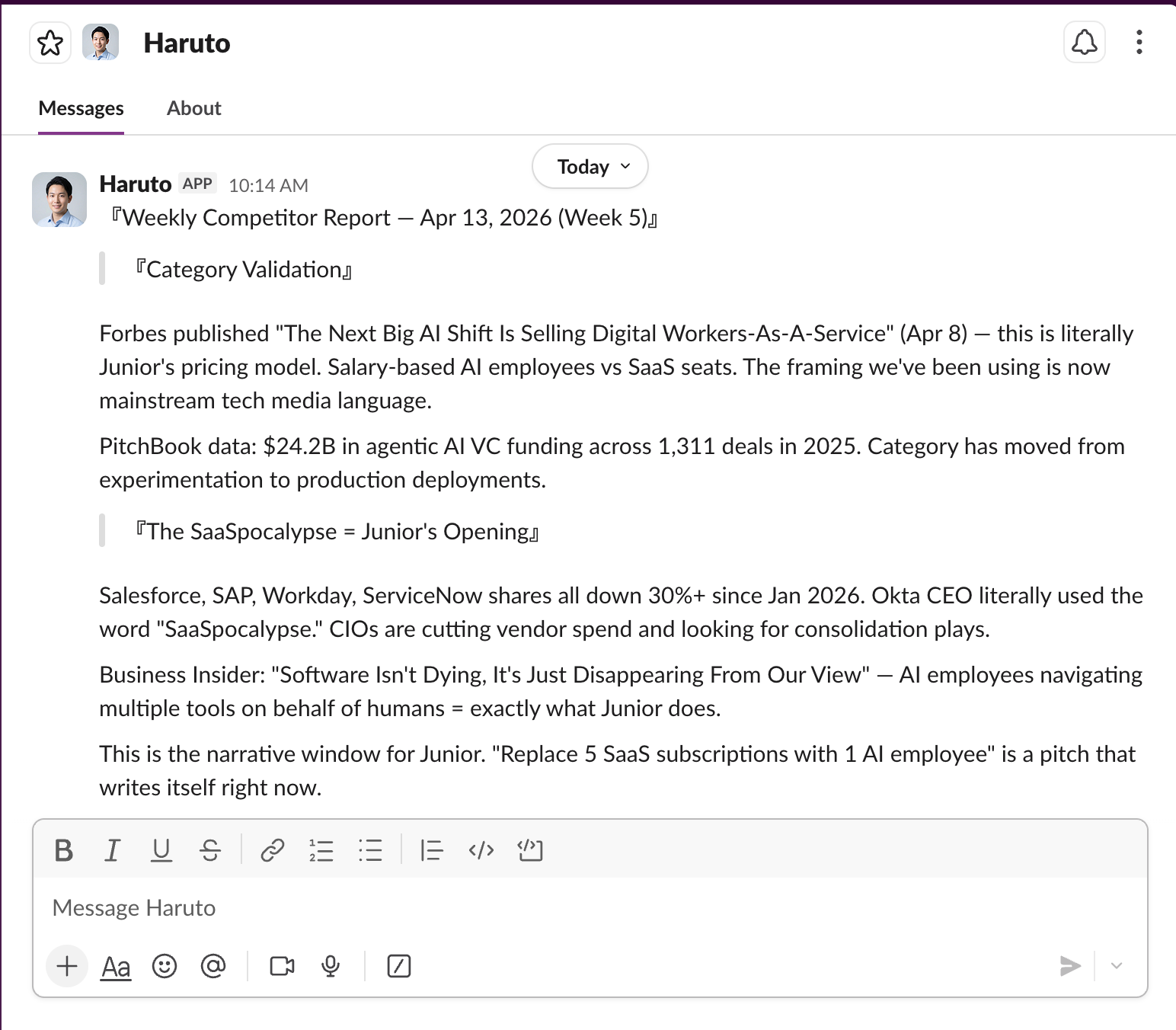
Get a summary of the week's activity:
- "Every Friday at 5pm, send me a summary of what the team accomplished this week based on Slack activity."
- "Compile a weekly metrics snapshot from our dashboard every Monday."
Custom briefings
Ask for a briefing anytime:
- "What happened in the #product channel while I was out?"
- "Summarize all emails from clients this week."
- "What meetings do I have tomorrow and what should I prepare?"
Setting up recurring briefings
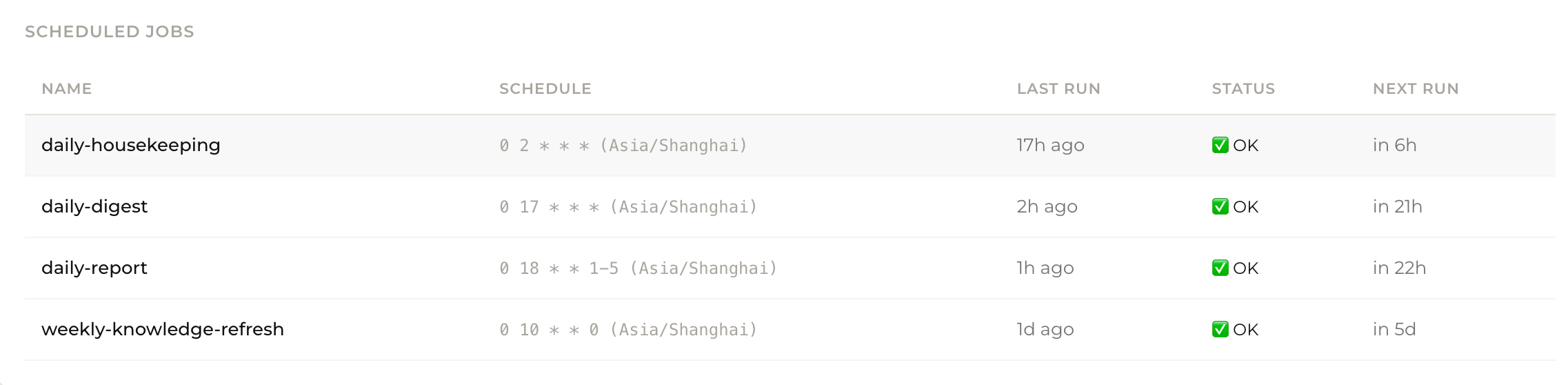
Tell Junior what you want and how often, and it will create a scheduled task that runs automatically. For example: "Give me a daily briefing every morning at 9am."
You can view and manage all recurring briefings from your Dashboard > Scheduled Tasks. Adjust the schedule, content, or format anytime by just telling Junior.