Skills
Skills are specialized capabilities you can add to Junior, like training modules for specific tasks.
Skills are specialized capabilities you can add to Junior. Think of them as training modules: each skill teaches Junior how to do something specific, like sending emails, tracking tasks, or pulling data from a tool.
How Skills Work
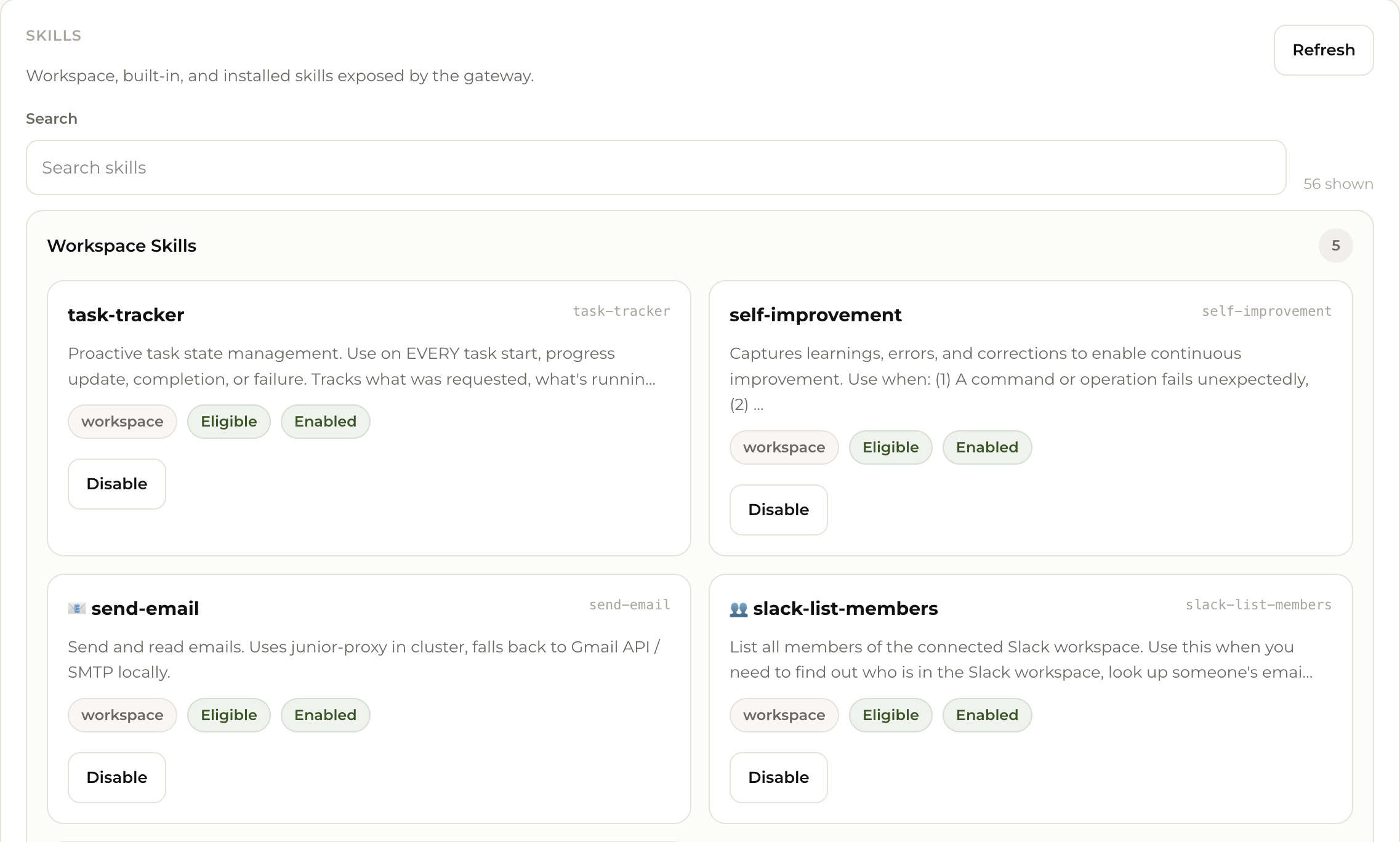
Junior comes with a set of built-in skills. You can also add more from the skill library or create your own. Each skill has:
- A name and description so you know what it does
- An on/off toggle so you can enable or disable it anytime
- Automatic activation when Junior detects a relevant task (you don't need to manually trigger skills)
Viewing and Managing Skills
Go to your Dashboard and open the Skills tab. You'll see all available skills organized by type:
- Workspace Skills: Skills active in your Junior's workspace (e.g., task-tracker, send-email, slack-list-members)
- Built-in Skills: Core capabilities that come pre-installed
You can enable or disable any skill with one click.
Adding Skills Through Conversation
You can ask Junior to learn new things directly in chat:
- "Create a skill for writing weekly project reports in our company format"
- "I want you to check our website uptime every hour and alert me if it's down"
Junior will create the skill and add it to your workspace.
Start with the skills that come pre-installed. As you discover tasks you want Junior to handle differently, create custom skills or install new ones.