Dashboard Overview
The Dashboard is your control panel for managing Junior, viewing activity, and managing integrations.
After logging in at junior.so, you can access the Dashboard. This is your control panel for managing Junior, not a chat interface.
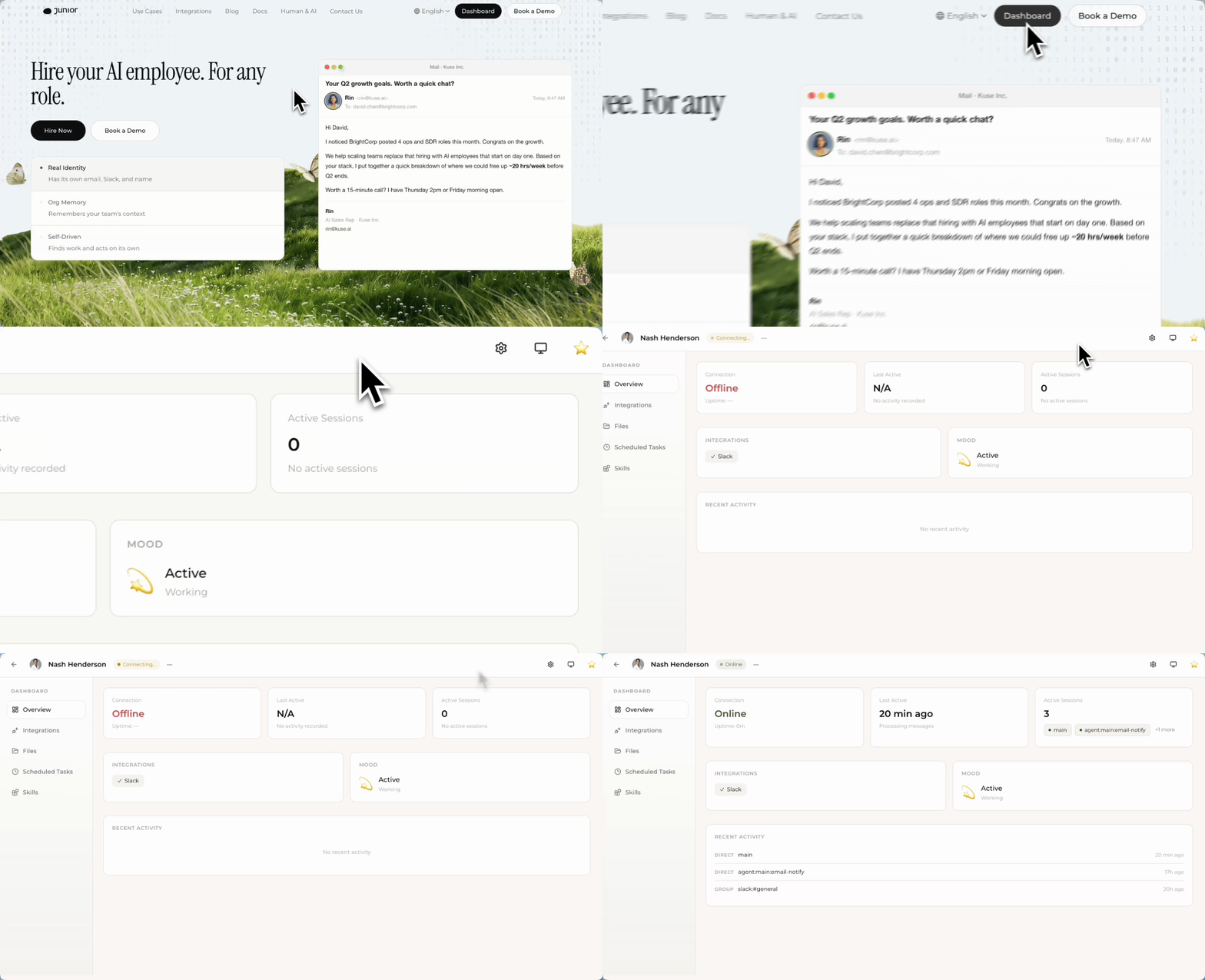
Day-to-day work happens in Slack conversations with Junior. But when you want to see the big picture, manage tool connections, or check scheduled tasks, come to the Dashboard.
Overview
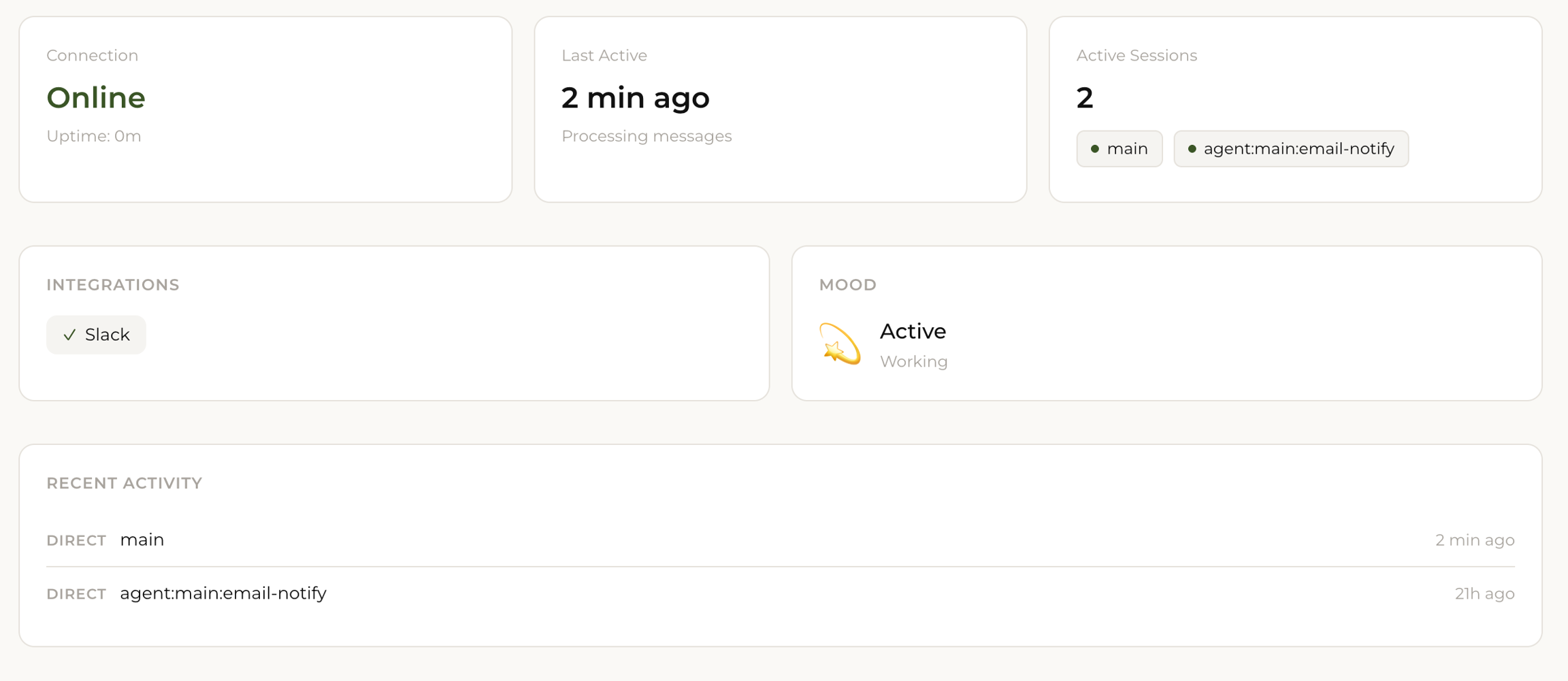
The first thing you see when you open the Dashboard:
- Connection: Whether Junior is online or offline, with uptime displayed
- Last Active: When Junior last processed a message, and what it's doing (e.g., "Processing messages")
- Active Sessions: How many sessions are running and which ones (e.g., main, email-notify)
- Integrations: Which tools are currently connected (e.g., Slack)
- Mood: Junior's current state (e.g., Active / Working)
- Recent Activity: A log of recent sessions with timestamps
Think of it like checking an employee's online status. Is Junior working? Open this and you'll know.